Page updated: 14 June 2026
Photoshop Navigation Tools
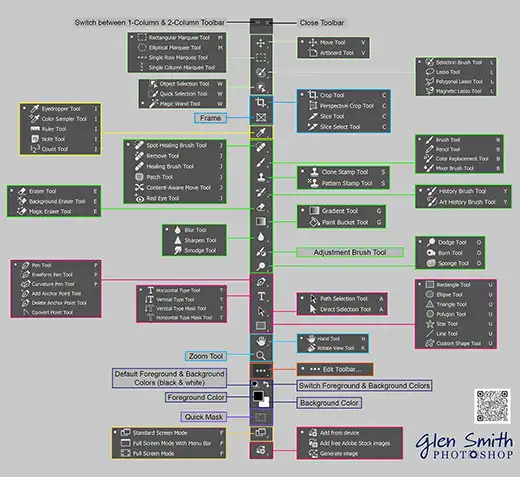
Hand, Rotate View, Zoom & Navigator
Photoshop’s Navigation Tools let you move around your canvas, zoom in for detail work, rotate your view for natural drawing angles, and switch between screen modes for distraction-free editing.
These tools don’t change your artwork — they change how you see it. They’re essential for painting, retouching, compositing, and general workflow efficiency.
Click any tool below to open its full tutorial.